
NetSec Spotlight: Prisma Browser (Introduction)

The browser is now the primary environment for modern work. Applications and workflows that once required locally installed software are now delivered through web interfaces.
For most organisations, users spend the majority of their time in the browser to interact with corporate systems:
- Accessing SaaS platforms and collaboration tools
- Interacting with private applications
- Transferring sensitive data
- Using Agentic and Generative AI systems
- Integrating services through APIs and extensions
Users increasingly work from unmanaged devices, external networks, or contractor systems where traditional security controls are unavailable. Equally, SaaS platforms and AI tools are accessed directly over encrypted connections, often outside of the visibility of legacy controls.
Prisma Browser addresses these challenges by providing a secure browser-based workspace that applies granular and browser-specific inspection and enforcement. It enables browser-level Zero Trust without needing traffic to pass through a traditional enforcement point.
Browser Capabilities
Prisma Browser is an enterprise browser built to secure web browsing and access to corporate systems for users and third parties. It extends security capabilities directly into the browser session, enabling organisations to govern user interactions within their primary workspace.
Headline capabilities include:
Secure workspace on any device: a controlled and hardened Chromium-based browser for accessing applications from both managed and unmanaged devices. Prisma Browser protects against compromised endpoints, malicious websites, phishing attempts, and other web-based threats with both local security engines and Cloud-Delivered Security Services (CDSS). It allows organisations to extend controls without requiring endpoint management.
Visibility into browser activity: user interactions within the browser session are inspected and logged without the need for network-level decryption. Insights are provided into application usage, data movement, and behavioural patterns that may otherwise remain hidden. Visual evidence such as screenshots and event recording support investigation, forensics, threat hunting, and audit.
Last-mile data protection: sensitive data interactions within browser sessions can be governed directly through Enterprise DLP policies including screenshots, screen sharing, printing, typing, upload/download, and copy/paste operations. This enables controls like blocking file transfers to personal accounts, masking sensitive data, and adding watermarks to web content.
Privileged remote access: extends native support for RDP, SSH, and VNC, authenticated with SSO or credential-injection, alongside standard web protocols. This brings third-party or contractor-facing remote access under the same policy engine as web traffic. Prisma Browser is a viable option for replacing VDI, but it is not a fully-fledged PAM platform.
Prisma Browser executes directly where web pages are rendered, with full access to the Document Object Model (DOM). This means it can identify sensitive data patterns inside web page elements and automatically redact or blur them out in real time.
This provides:
- Copy, paste, and print interception
- Pre-submission data masking and redaction
- Customisable watermark protection
- Screen capture and screen share controls
- Live page scanning and user coaching
Prisma Browser does not rely on the host operating system's trust model. Instead, it creates a browser-based sandbox with a multi-layered security approach:
- Memory hardening and process isolation
- Protection against input interception (keyloggers)
- Protection against visual interception (screen and DOM scrapers)
- Isolated cookie vault (cookie and session hijacking)
- Secure file downloads (local disk exfiltration)
Browser Operations
Prisma Browser integrates into existing enterprise environments without introducing additional friction or complexity. Like the rest of the platform, it is managed with Strata Cloud Manager (SCM).
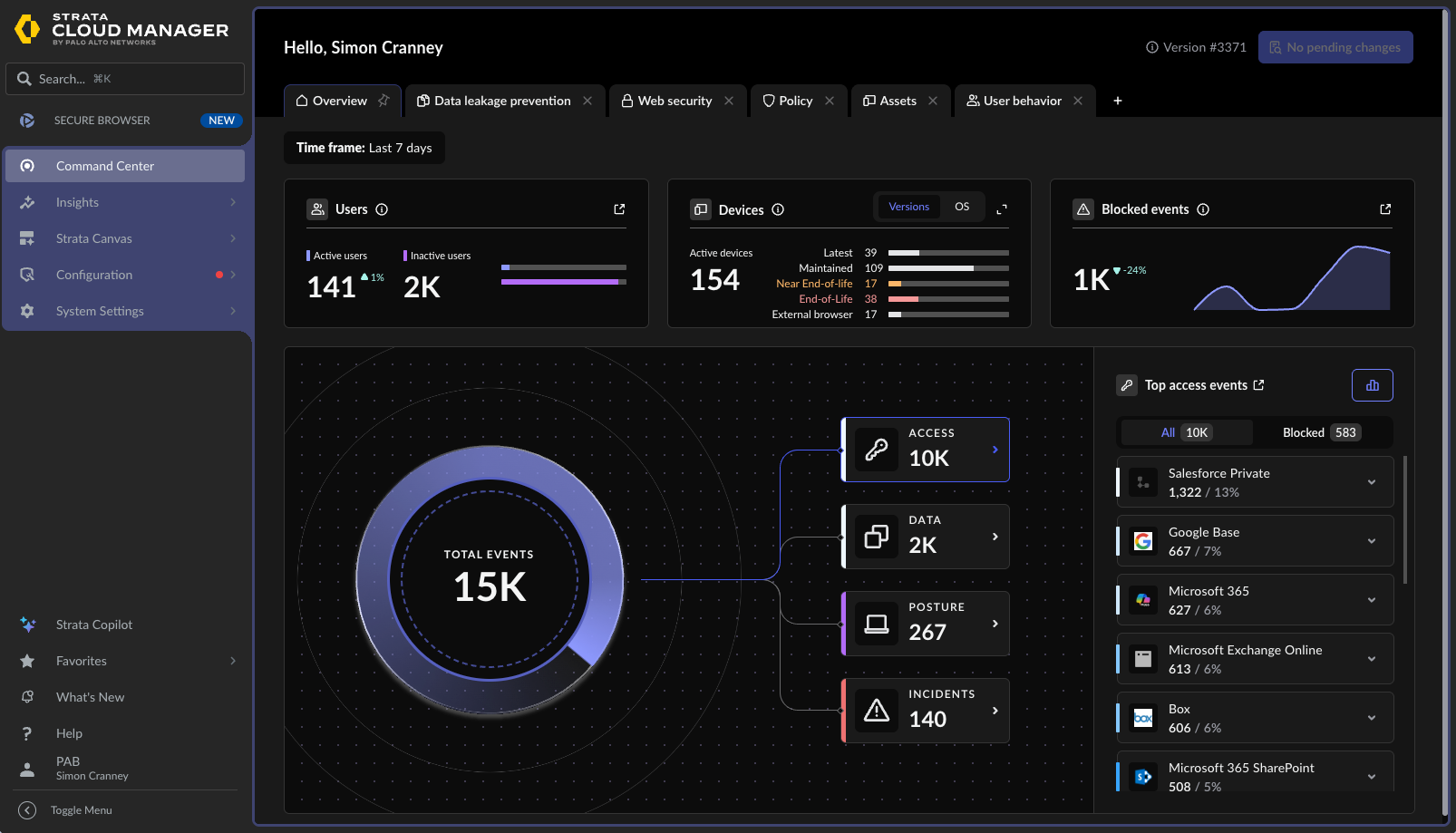
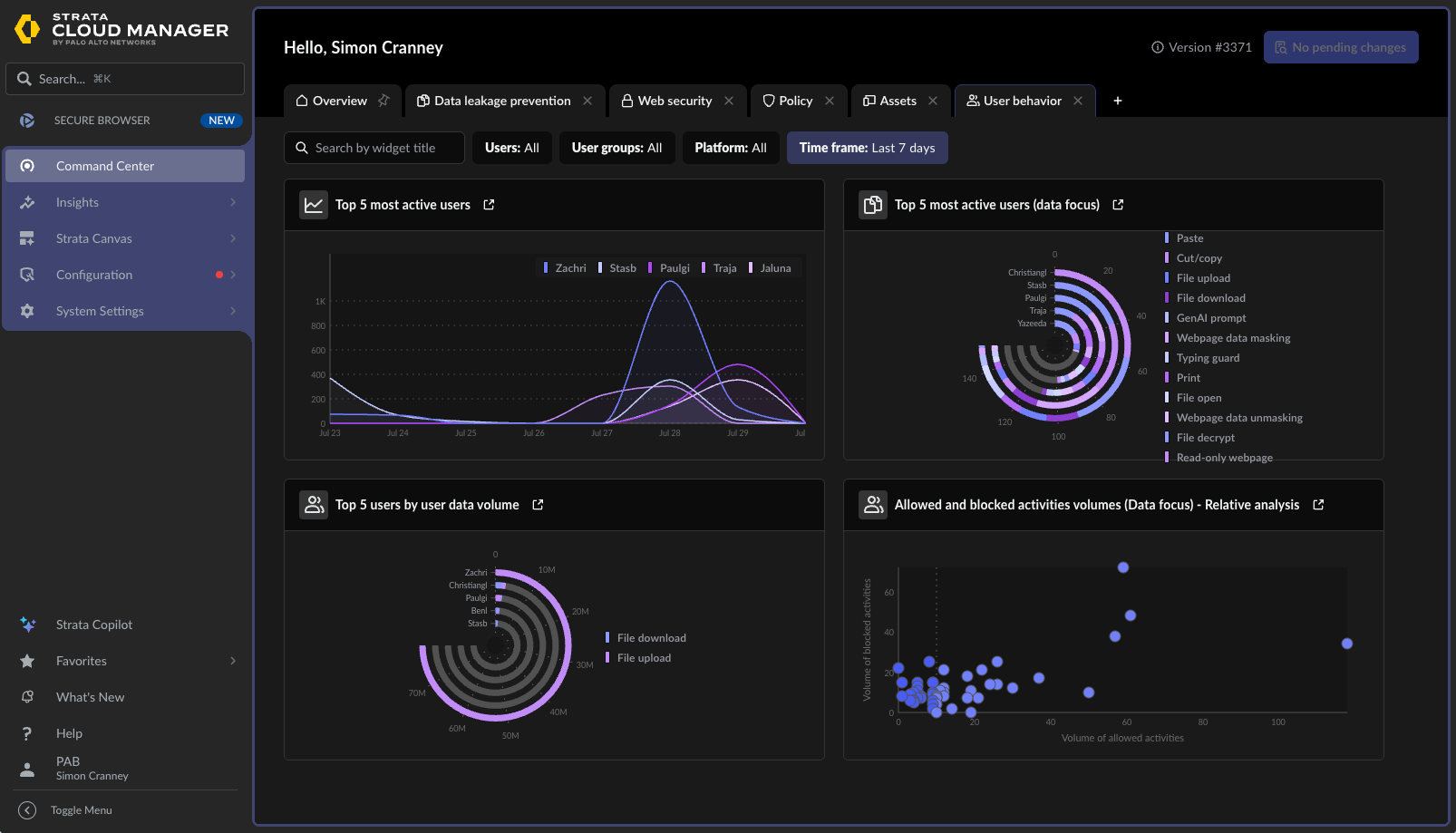
From an administrative perspective:
- Prisma Browser can be deployed using self-service or standard enterprise software distribution tools
- Installation does not require administrative privileges
- No additional infrastructure components are required
- Configuration and policy remain centralised
From an end user perspective:
- The Chromium browser experience is familiar
- Websites render using the same standards as mainstream browsers
- Minimal training or workflow disruption
- Existing bookmarks and settings can be imported
- User privacy is preserved with local inspection that does not require network decryption
This allows organisations to introduce browser-level enforcement without significantly changing the user experience or operating model.
Browser Architecture
Introducing the browser as an access pattern does not necessarily replace existing network enforcement points such as firewalls or secure access services. Prisma Access and CASB capabilities like AI Access Security apply similar controls, but at the network edge rather than inside the browser session itself.
Prisma Browser complements these controls by extending policy enforcement directly into browser-based workflows. It can be used in an integrated model with Prisma Access or standalone:
Integrated: defined traffic is steered through Prisma Access with Prisma Browser providing the on-ramp or the last-mile component of a complete SASE platform.
Standalone: traffic does not route through Prisma Access and instead uses local routing and internet direct-to-app. Appropriate when no Prisma Access deployment exists or the traffic is to be kept separate from the SASE fabric.
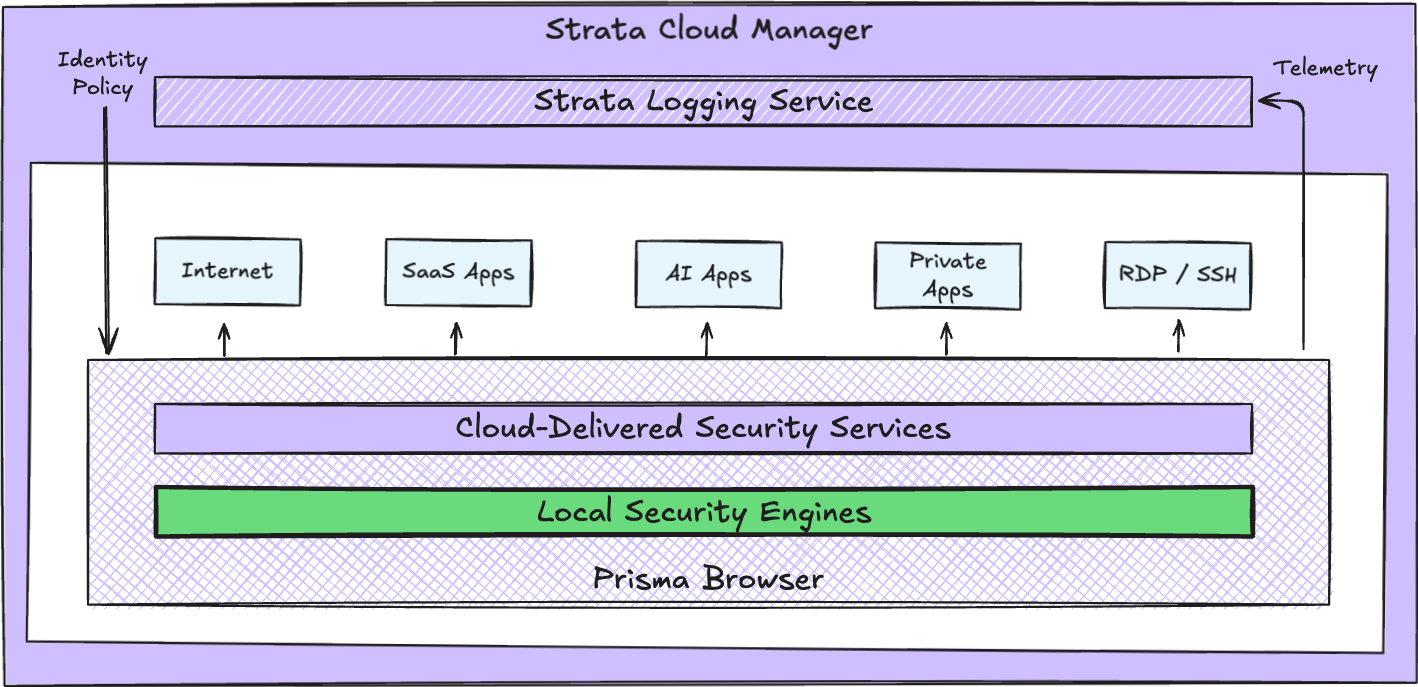
In summary, Prisma Browser brings the core platform principles (centralised policy, shared inspection, distributed enforcement) directly into the browser session.
It closes the visibility gap on encrypted, browser-based work that traditional network and endpoint controls can't always see. This results in:
- Secure access to corporate systems from both managed and unmanaged devices
- Browser-level Zero Trust, without depending on host OS trust or traditional enforcement points
- Full visibility into browser activity without requiring decryption
- Last-mile data protection directly within the web page
- Real-time interception of sensitive data before it leaves the browser
In the next post, we'll go into the usage models of Prisma Browser in more detail.